

Product
Everything behind the appointment.
Five parts of the same system. Everything here is available today unless it’s marked as coming soon.
Appointments and scheduling
A diary that feels like a diary.
See each person’s day, take bookings around the clock and handle changes without the back and forth.
Calendar
Day, week and month views, with each team member side by side.
Staff schedules
Working hours, breaks and time off shape what can be booked.
Online booking
Customers choose a service, a person and a time. Only real availability is offered.
Booking Page
A page for your business at its own RefinedOS address, on every plan. Nothing is public until you publish.
Rescheduling and cancelling
Every booking comes with a private link, and changes go straight back into the calendar.
Waitlist
Customers can wait for a time, and hear when one opens up. On Growth and above.
Confirmation
What your customer sees.
A clear confirmation, a way to add it to their calendar, and a private link to change it.
Booking website
Your business. Your booking website.
Called Booking Page in RefinedOS, and included on every plan. Customers see your services, choose a team member and book a time that’s really free, without an app or a login.
Your branding
Your name or logo, your words and photos, and a choice of themes that carries through to booking. Approved accent colours are on Pro and above.
Services
Prices, durations and descriptions, set out like a printed menu. You choose which are listed.
Team
The people customers can book, with job titles if you add them and a link to book with each one.
Online booking
Every Book button opens your booking flow: team member, service, date and time, with only real availability offered.
Customer self-service
Every booking comes with a private link to change or cancel it. Switch on the customer portal and My Appointments appears on the page too.
Publishing
Nothing is public until you publish, and you can take it down at any time. Contact details, your address and opening hours appear only if you add them.
Already have a website? Keep it, and point any button at your booking link.
Custom websites
For a website that’s entirely yours.
Your booking website is a straightforward, branded way to take bookings. For a more individual presence, RefinedSites designs custom websites that can connect to RefinedOS bookings.
RefinedOS booking website
Included on every plan. Your branding on our design, at its own RefinedOS address, set up and published by you.
RefinedSites custom website
An optional service, priced separately from your subscription. Designed individually for your business, with RefinedOS booking connected if you want it.
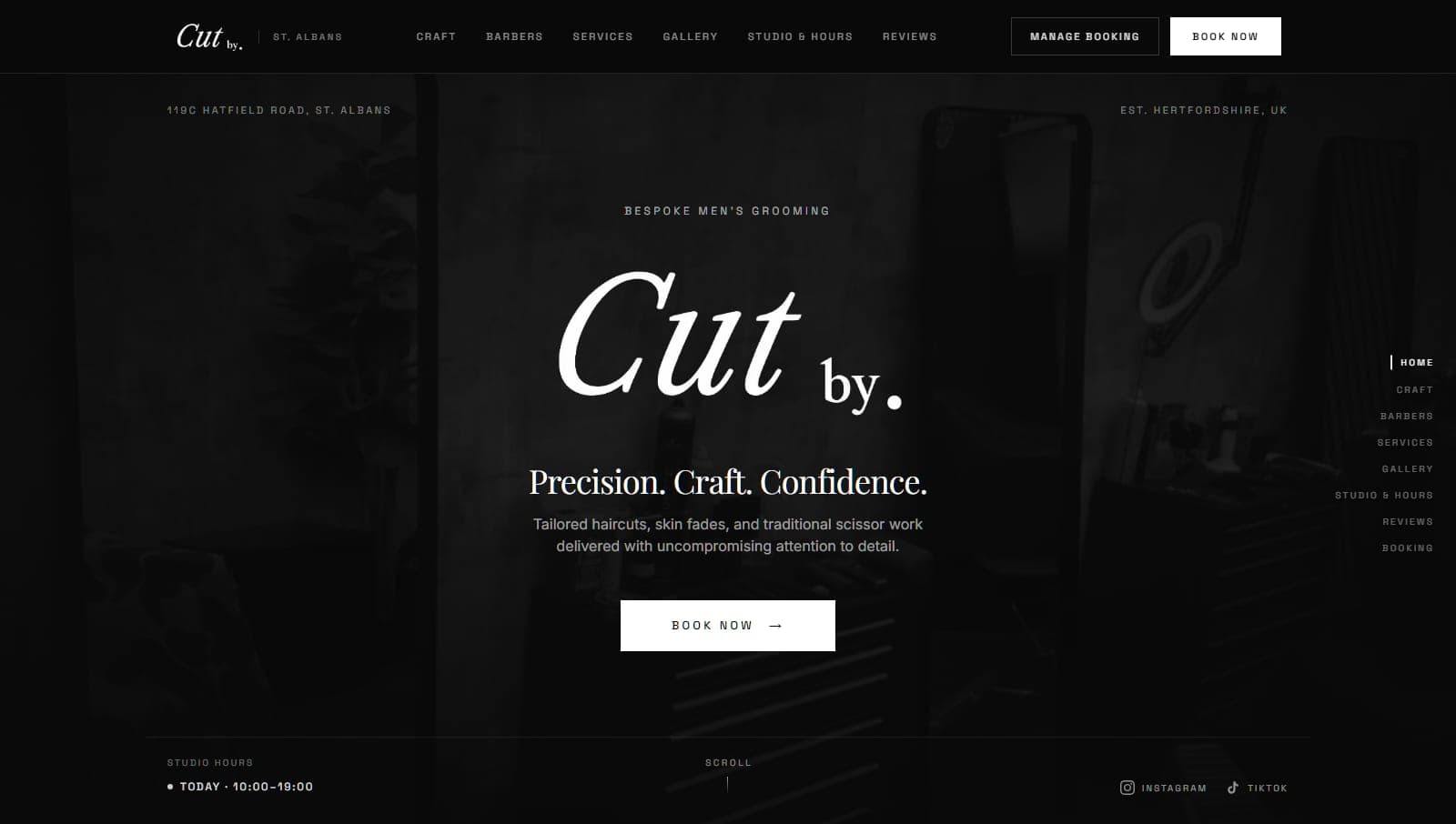
A client website
Cut By.
Designed by RefinedSites. Bookings powered by RefinedOS.
A custom website for a barbershop in St Albans. Booking opens on the site itself, with the chosen barber already selected, and Manage Booking takes customers to their RefinedOS portal.
Customers and relationships
Know who’s coming in.
Customer records build themselves as people book, so the history is there without a spreadsheet to maintain.
Customer records
Contact details, notes and preferences, in one place.
Appointment history
Every visit, cancellation and no-show on the customer’s record.
Regulars and reliability
Regular customers are recognised, and repeated no-shows are flagged.
Customer portal
Customers sign in with an emailed code to see, move or rebook appointments. Each business chooses whether to offer it.
Special prices
Set a customer’s own price for a service when they have one.
Communication and retention
Stay in touch without chasing.
Service messages go out by themselves. Marketing only ever reaches customers who have agreed to hear from you.
Email notifications
Confirmations, changes and cancellations, on every plan.
Reminder texts
About two hours before an appointment, plus waitlist alerts. On Growth and above.
Customer marketing
Campaigns by text or email to customers who have opted in, with opt-outs honoured. On Growth and above.
Follow-ups and win-backs
After-visit emails, Google review requests and win-back messages. On Growth and above.
Marketing texts use message credits, bought separately as one-off packs. Texts can carry your own sender name, subject to approval and the mobile networks.
Business visibility
See how the business is doing.
The numbers an owner needs, drawn from the appointments you’re already running.
Revenue and appointments
Totals and a simple trend, on every plan.
Staff and service performance
Who and what is doing well, with busiest days and hours. On Growth and above.
Cancellations and no-shows
See where appointments are being lost. On Growth and above.
Customer retention
New and returning customers, repeat bookings and period comparison. On Pro.
Getting started and running the business
Set up once, then get on with it.
Bring what you already have, and give your team what they need on the devices they already use.
Services
Prices and durations, with different ones per team member where you need them.
Team management
Invite your team and decide what they can see. Custom permissions are on Pro.
CSV imports
Guided column matching for exports from Fresha, Booksy, Square, Squarespace, Calendly or any CSV. Check every match before anything is saved.
On your phone
Add RefinedOS to your home screen or desktop from the browser, with optional booking alerts for your team. No app store needed.
Imports read files you export yourself. They are not direct connections to those platforms.
Coming soon
Being built, and not available yet.
WhatsApp
Messaging customers on WhatsApp alongside email and text.
AI receptionist
Answering customer enquiries and helping to manage bookings. It will arrive on the AI plan.
RefinedOS screens, shown with an invented example business and figures.
See it with your own diary.
No payment details to start. No charge during your trial.